Let Customers Approve Quotes and Download Certificates—Anytime
Stop chasing customers for quote approvals. Stop emailing the same certificate three times. Give your customers a secure portal to view quotes, see upcoming visits and job progress, approve with one click, and download certificates and job sheets 24/7 — and let Opscel email them automatically when a visit is booked or a job is done. Faster approvals, fewer admin calls, professional experience.
What your customers see
Welcome back
Riverside Property Management
2
Pending quotes
14
Active certificates
1
Outstanding invoices
Upcoming visits
Tue 23 Sep · 10:00
14 High Street, Leeds · Engineer: Sam
Thu 2 Oct · Time to be confirmed
Unit 4 Riverside Park · Engineer to be confirmed
The dashboard a customer lands on: pending quotes, certificates, invoices and what's coming up next.
QT-2026-0184
Fire alarm remedial works
ex VAT
Good / better / worse tiers, a typed-name approval and the deposit due — all in one screen.
Certificates
EICR-000231
Electrical Installation Condition Report · Issued 12 Aug 2026
FA-000118
Fire Alarm Service · Issued 3 Sep 2026
Job sheets
Fire alarm service
Completed 3 Sep 2026
Invoices
INV-000342
£1,860.00
Certificates, job sheets and invoices, always available — no re-sending an attachment by email.
From: Salus Fire <noreply@opscel.com>
Reply-To: office@salusfire.co.uk
Your visit from Salus Fire is booked for Tue 23 Sep
| Job | JOB-1042 — Fire alarm annual service |
| Site | 14 High Street, Leeds LS1 1AA |
| Date | Tuesday 23 September 2026 |
| Time | 10:00 |
| Engineer | Sam |
Salus Fire & Electrical Ltd · 12 Industrial Way, Leeds LS9 8AB · 0113 555 0134
Unsubscribe from these notifications
Sent automatically, in your name, the moment a visit is booked — with a button straight into the portal.
The real thing
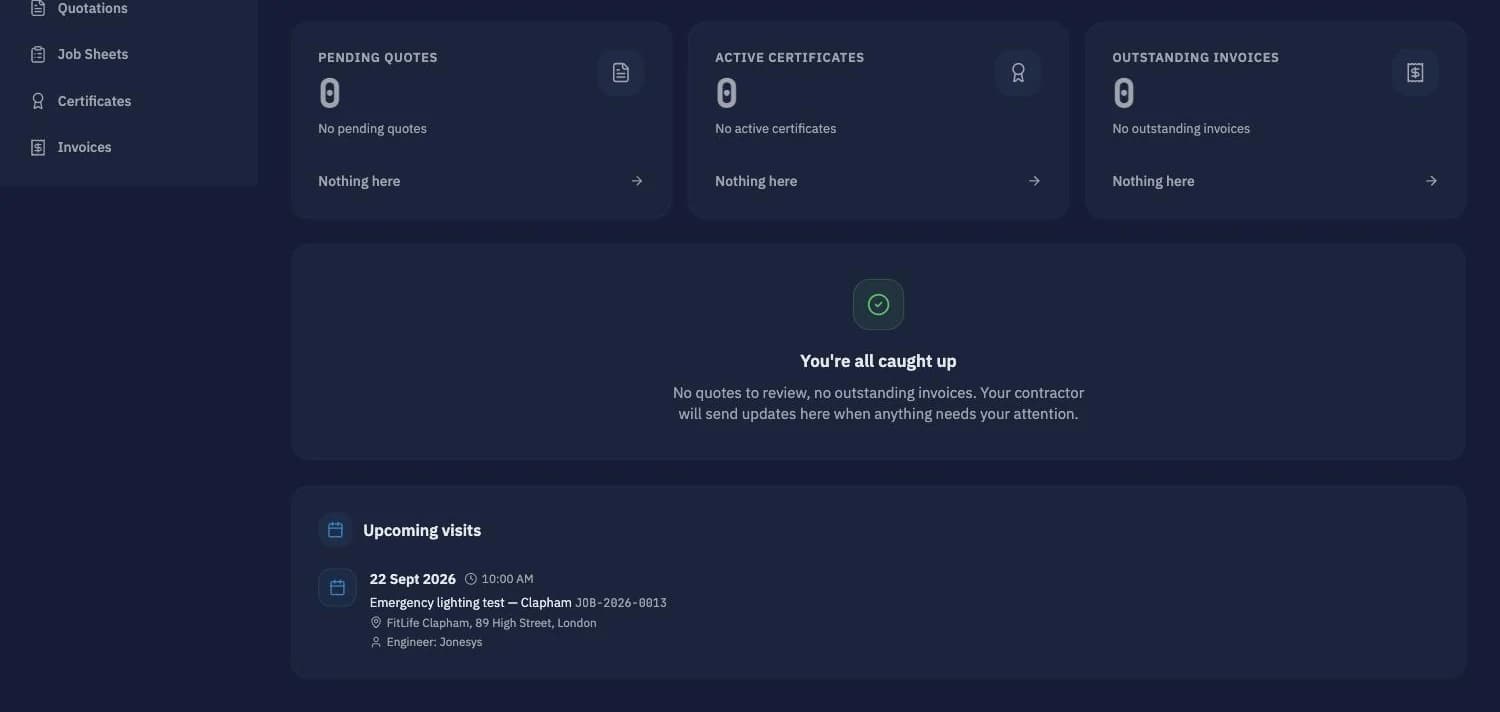
The dashboard a customer lands on: quotes to review, certificates, invoices, and the next visit with date, time, site and engineer.
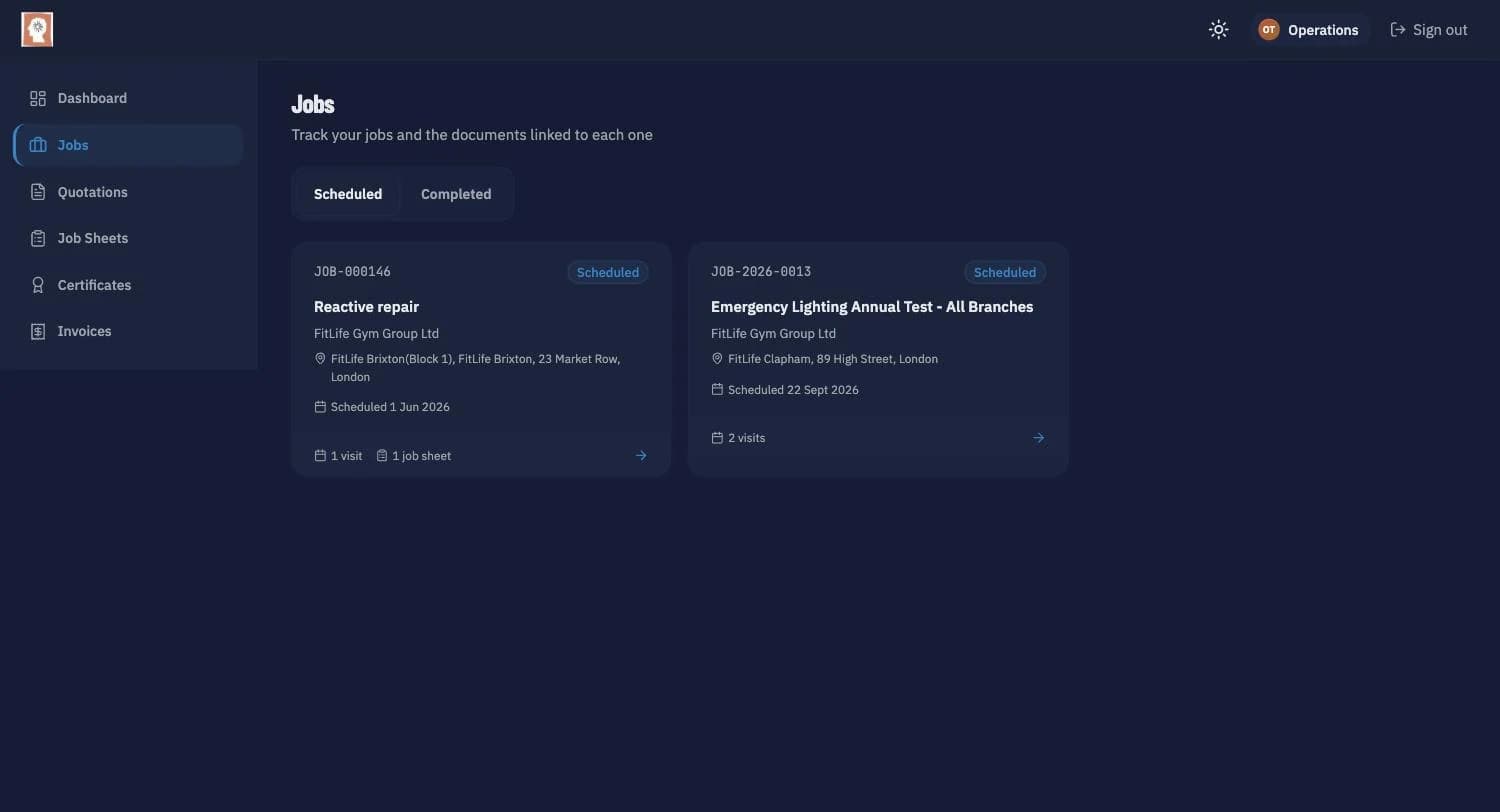
Scheduled and completed jobs, each with its site, date and how many visits and job sheets it has.
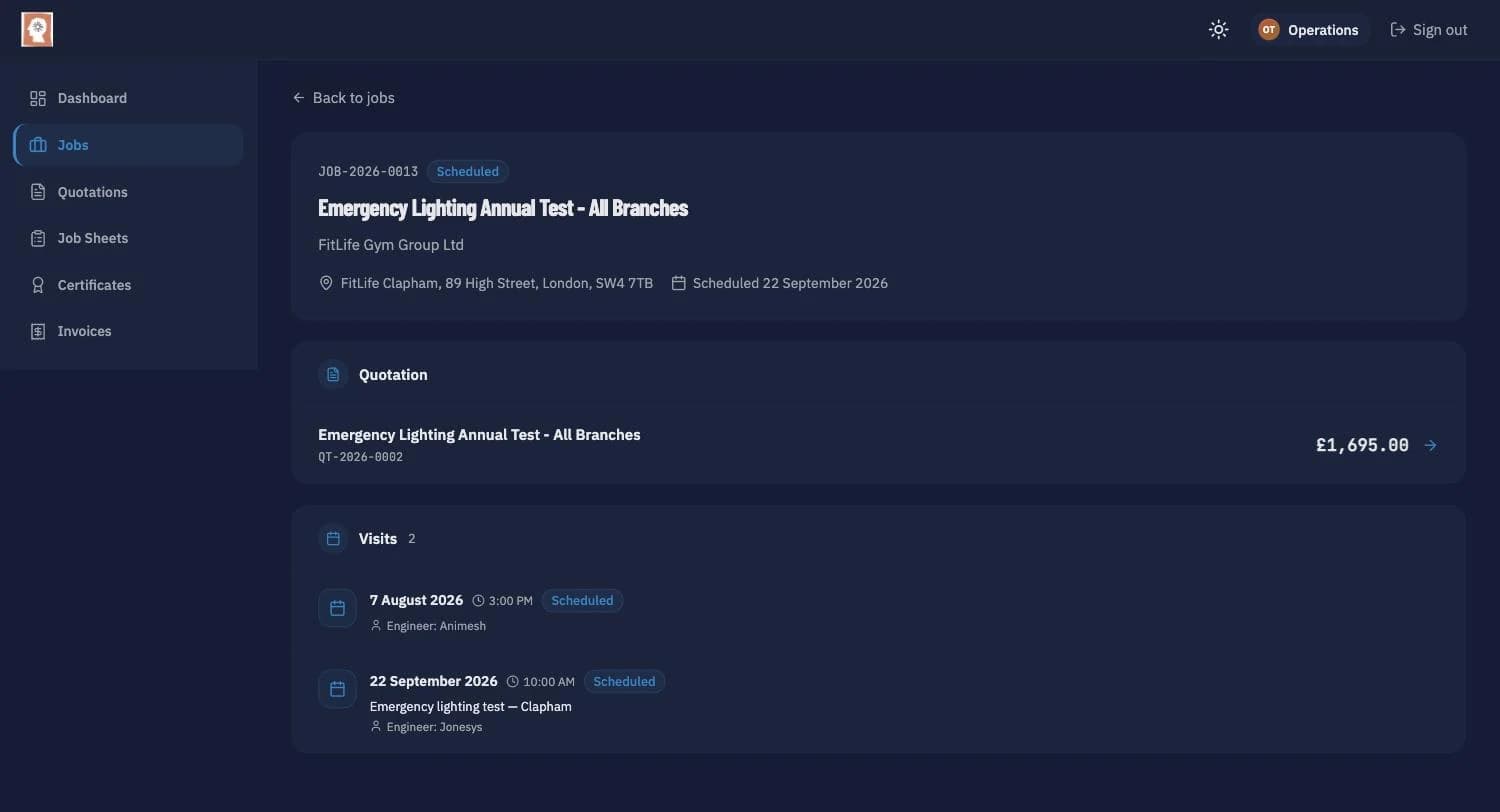
Every job links its quotation, visits, job sheets, certificates and invoices in one place.
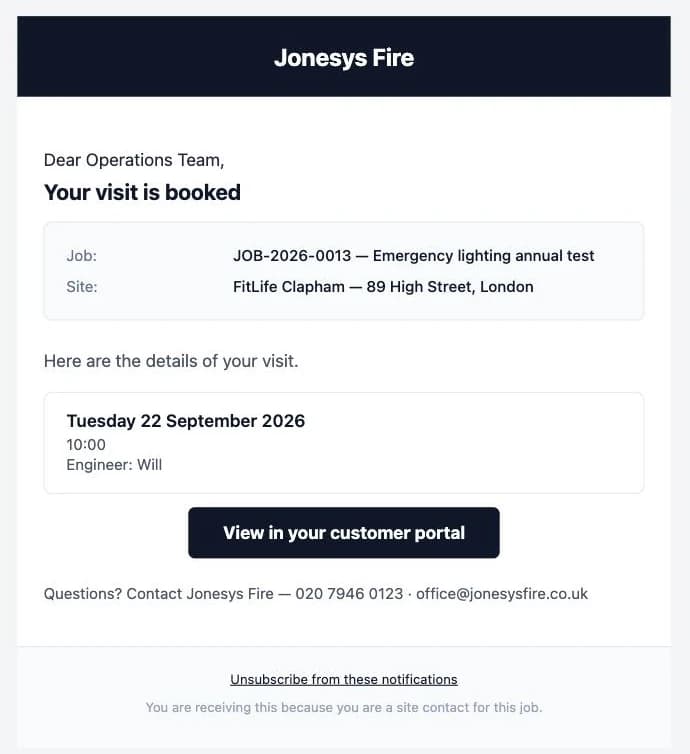
Sent automatically in your name when a visit is booked, moved or cancelled — no login needed.
How it works
Who it's for
- Faster quote approvals—customers approve online in 30 seconds, not 3 days via email chase
- Fewer admin calls—customers download certificates themselves at 2am if needed
- Professional customer experience—positions you as modern, tech-forward contractor
- Activity logging for disputes—prove customer viewed quote on Tuesday at 3pm
- Instant revocation—toggle portal access off, all sessions end immediately
- Business tier feature—differentiates your service from competitors still using email attachments
- One-button invite delivery—toggle access, click send, customer receives email in seconds
- No password resets—magic links mean zero "forgot password" support calls
- Certificate self-service—customers download PDFs themselves, stop resending via email
- Quote status transparency—customers see pending/approved/declined, fewer "what happened?" calls
- Granular access control—enable per contact, not per customer (property manager yes, maintenance guy no)
- Activity log shows who viewed what when—complete visibility into customer engagement
- Customers approve quotes faster—means jobs start sooner, less downtime between work
- Certificate questions go to portal—customers find certs themselves, stop calling you on-site
- Transparent service history—new contact at customer site sees all past work instantly
- Professional reputation—customers impressed by modern portal vs. email attachments
What it does
Opscel vs. the rest
| Feature | Opscel | Others |
|---|---|---|
| One-click quote approvals (no print/sign/scan) | ✓ | No |
| Magic link authentication (no passwords to manage) | ✓ | No |
| Certificate self-service download 24/7 | ✓ | No |
| Activity logging (who viewed what when, IP address) | ✓ | No |
| Granular access control per contact (toggle on/off) | ✓ | No |
| Instant invite delivery (one-button send) | ✓ | No |
| Quote status visibility (pending/approved/declined) | ✓ | Some |
| Complete certificate history per customer | ✓ | No |
| Rate-limited security (5-10 req/min on auth) | ✓ | No |
| Automatic visit booked / rescheduled / reminder / job completed emails | ✓ | Some |
| Upcoming visits, job progress and job sheet PDFs in the portal | ✓ | Some |
Opscel Customer Portal — common questions
Ready to transform your operations?
30-day free trial. Full access from day one.