Your Business at a Glance. Finally.
See what needs attention, who's available, and what's converting—all before your first coffee gets cold. Every other system shows you numbers. Opscel shows you what to do next.
How it works
Who it's for
- See business health at a glance — jobs completed, revenue trends, team capacity
- 4-week sparklines show if you're growing or slowing without running reports
- Quote conversion rate tells you if sales is working
- Real-time activity feed shows team productivity without micromanaging
- Know exactly which jobs are overdue before customers complain
- Prioritised attention list shows what's urgent (max 5 items)
- Team utilisation bars reveal who can take the emergency call
- Week view calendar shows schedule density per day
- No more hunting through multiple screens to answer "Is Dave done yet?"
- Guided setup checklist for onboarding new staff
- See your jobs for the day highlighted in the calendar
- Know what's scheduled this week before planning your routes
- Activity feed confirms when certificates get approved
- Dashboard loads fast even on mobile in the van
Your Business at a Glance. Finally.
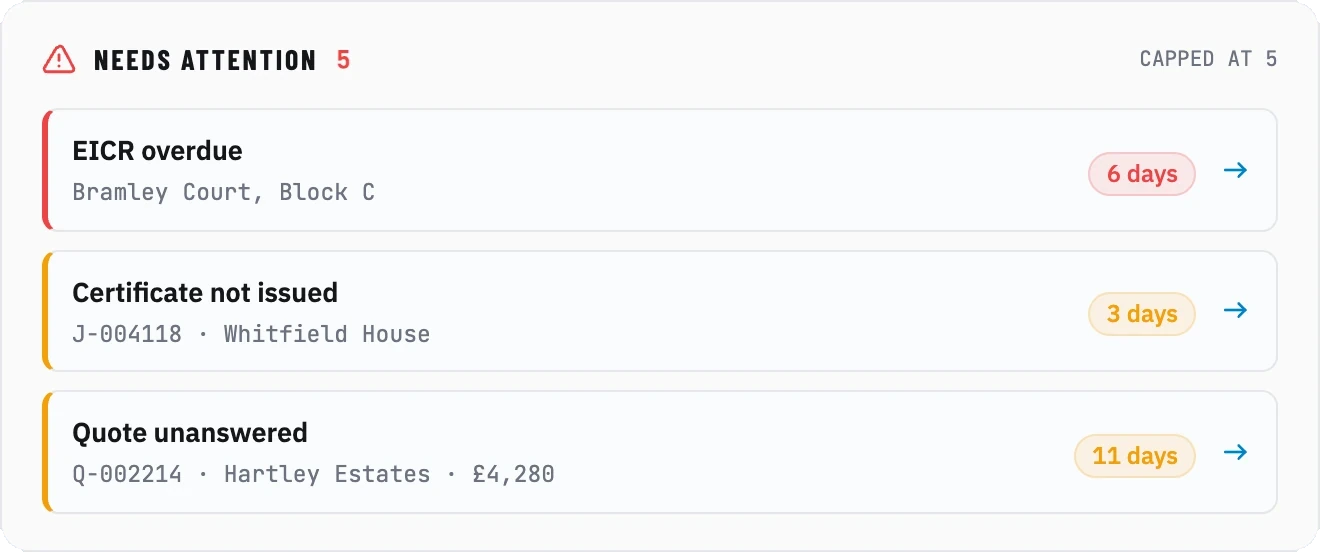
Four-week trends on every figure, and the five things that actually need you today — above the fold, in under half a second.
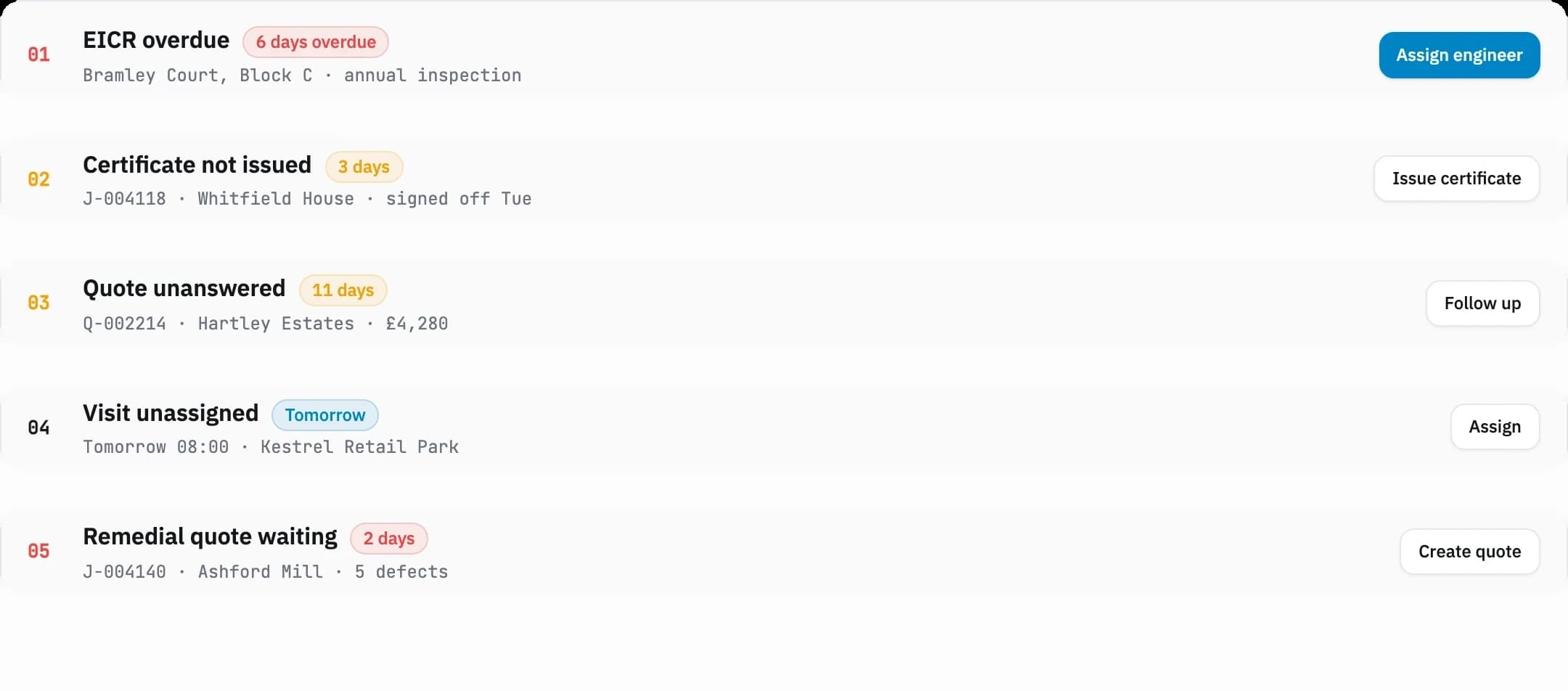
Five Items. Never Six.
Prioritised by urgency, each one a single click from the fix. A list you can scroll is a list you postpone.
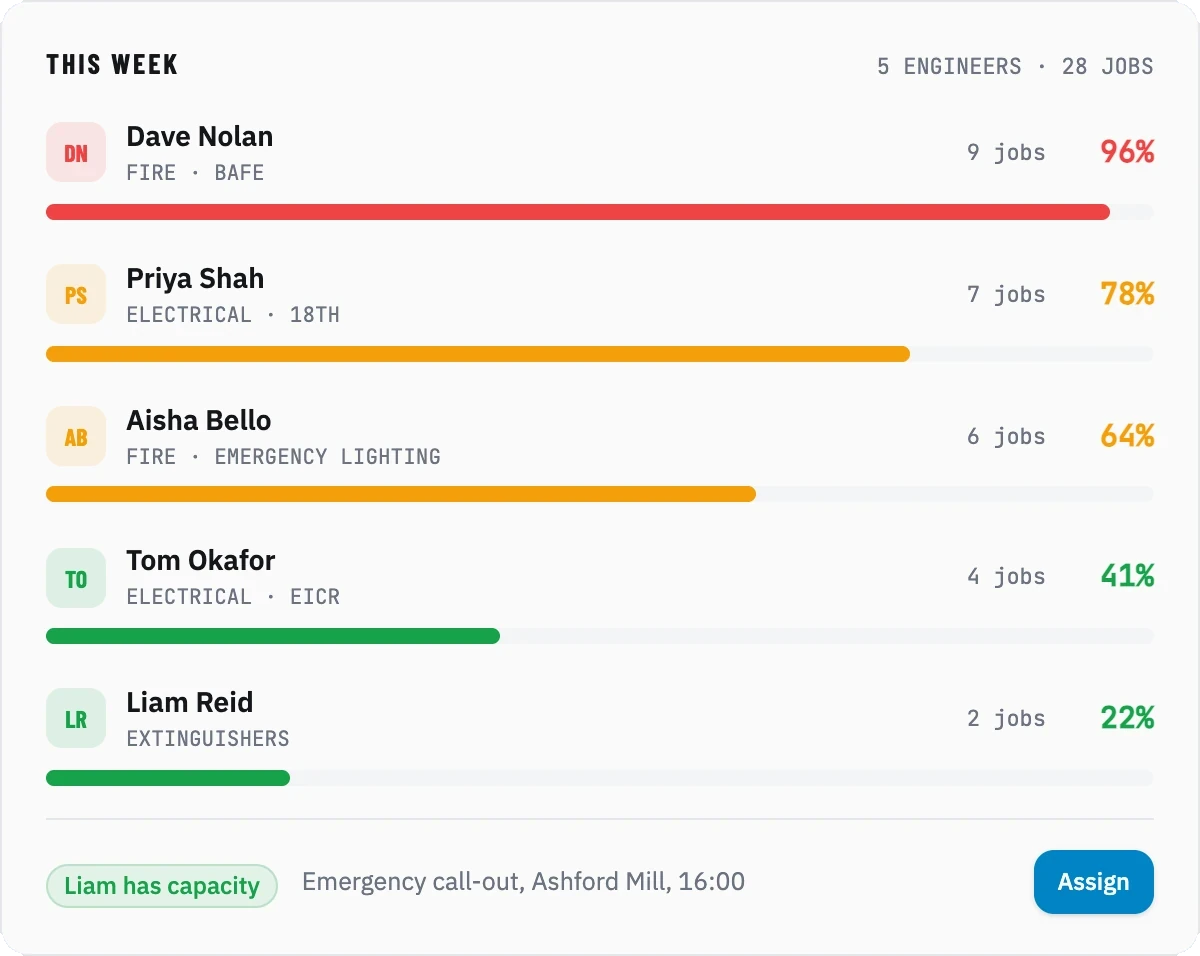
Who Can Take the 4pm Emergency?
Green has capacity. Amber is busy. Red is overloaded. You do not need to ring anyone to find out.
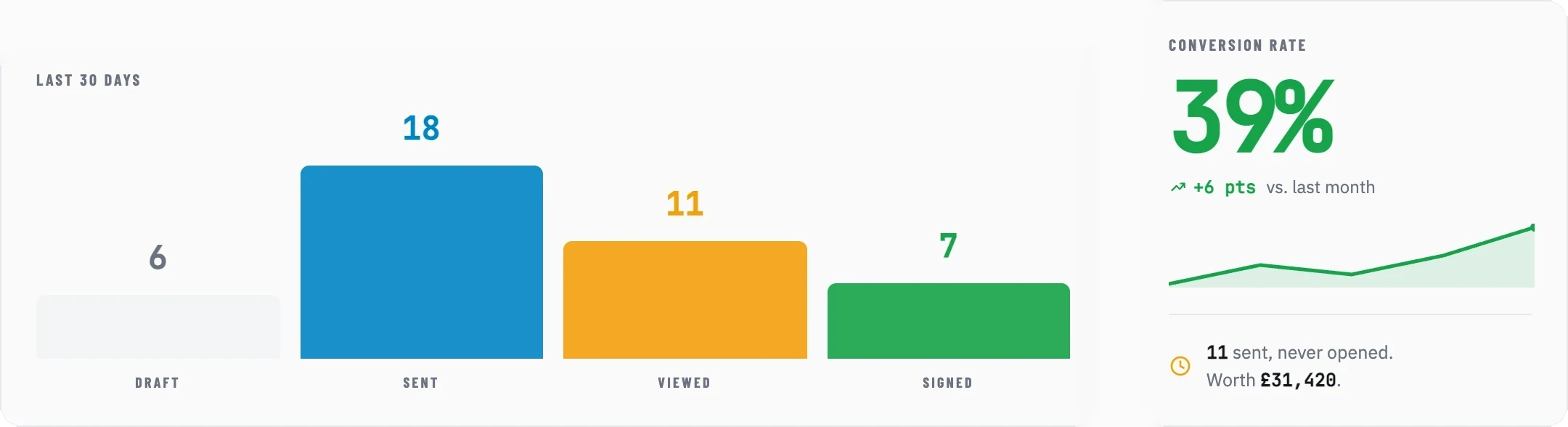
You Know Your Conversion Rate. To the Percent.
Every quote, by stage, with the number that matters computed for you — and the ones sitting unopened that are costing you the difference.
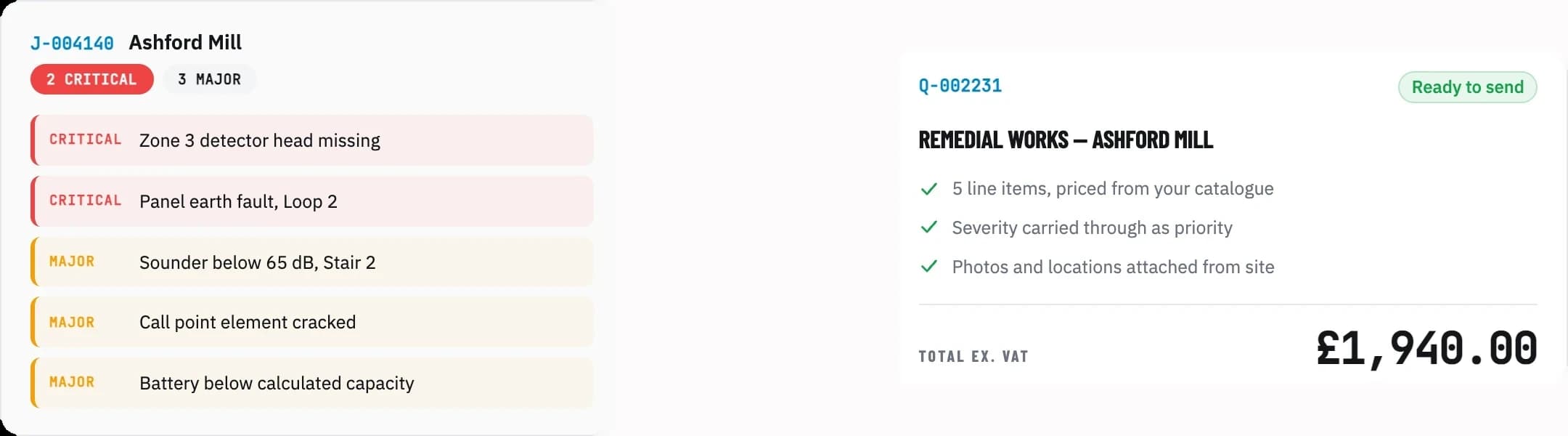
Five Defects. One Quote. One Click.
The engineer logs what they found. From the dashboard, the office bundles it into one priced remedial quote before they have left site.
What it does
Opscel vs. the rest
| Feature | Opscel | Others |
|---|---|---|
| See overdue jobs | ✓ | No |
| Check team workload | ✓ | No |
| Track quote success | ✓ | No |
| Spot trends | ✓ | No |
| Know what's on today | ✓ | Some |
| Guide new staff | ✓ | No |
| Find urgent issues | ✓ | No |
| Sub-second loading | ✓ | No |
Opscel Dashboard — common questions
Ready to transform your operations?
30-day free trial. Full access from day one.