RAMS — Support Guide
Risk assessments and method statements in Opscel: templates, the RAMS on every job, numbered revisions that never change, each engineer's read-and-understood, a reviewed RAMS for every site, and client approval by link or portal.
Last updated: 4 October 2026
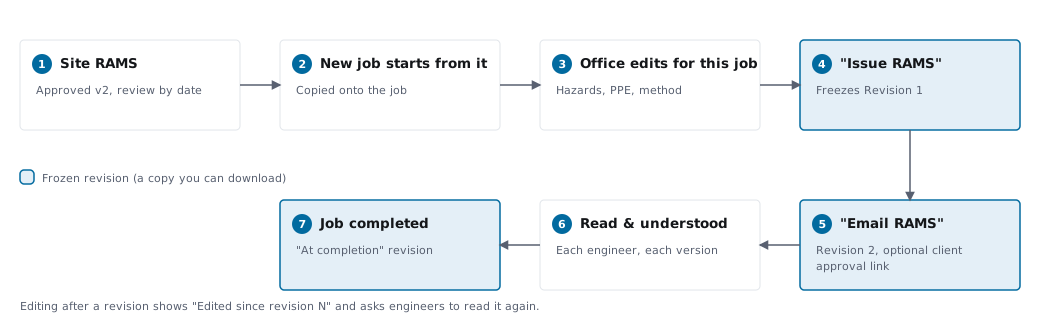
Every job carries its own RAMS - the risk assessment and method statement for that piece of work. It starts from the best thing Opscel already knows: the approved RAMS for that site, or your template for the type of work. When you send it or the job is completed, Opscel freezes a numbered revision with its own PDF, so the copy your customer received never changes afterwards. Each engineer confirms they have read and understood that version on their phone, and where a client wants to sign it off first, they can approve it from a link in the email - no login.
Availability
The RAMS module is included on the Business plan and is switched on per business in Settings → RAMS. The basic risk assessment on a job (hazards, persons at risk, PPE, risk level and control measures) is on every plan whether the module is on or off - the module adds method statements, the RAMS document, revisions, engineer sign-off, site RAMS and client approval.
Need More Help?
If you're stuck or need assistance, our support team is here to help.